

The following items will be deployed on November 24, 2026. Please note that this list doesn’t include other internal and regular maintenance work that BenchPrep is releasing.
New Features and Enhancements
WebApp
Preserve Completed Exam Results with Live Exam Updates
Live Exam Updates introduces an important change to how completed exam results are handled when exam content is updated. When enabled, learners retain their original scores and can review the questions, answers, and passages as they appeared when they completed the exam, even if the content has since changed.
This functionality is managed by BenchPrep and applies across all courses once enabled. We encourage administrators to familiarize themselves with Live Exam Updates to better understand how it works and its impact on exam results and reporting. Click here to learn more.
Enhanced Assignment Visibility for Learners
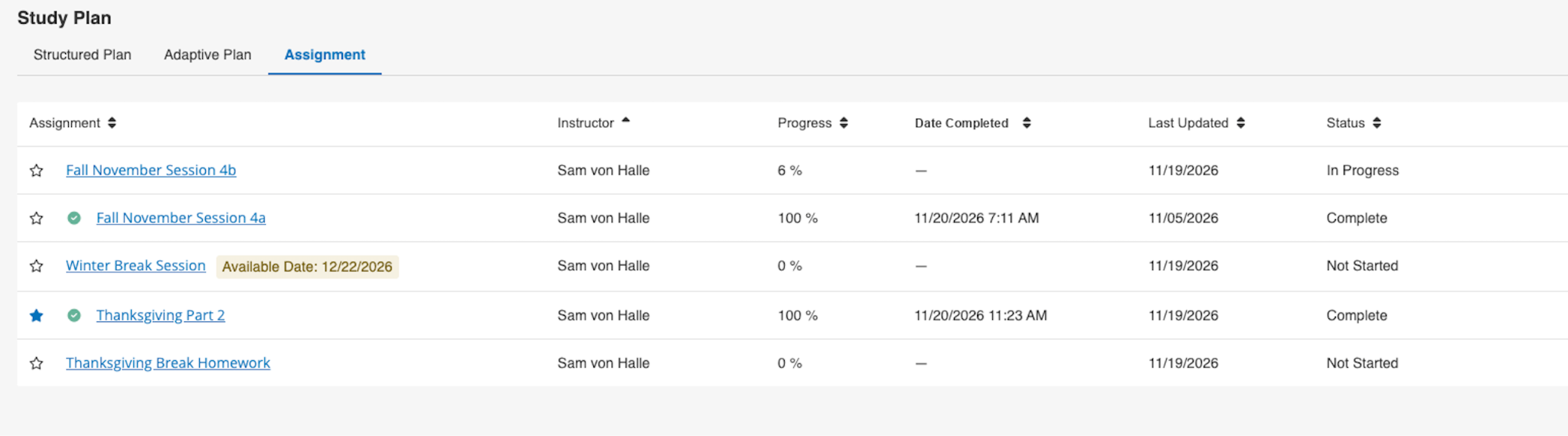
For learners with multiple assignments, the Assignments listing table now shows new fields, including Status and Date Completed. If a release date is set for an Assignment, it now appears next to the Assignment name, so learners know when it will become available.
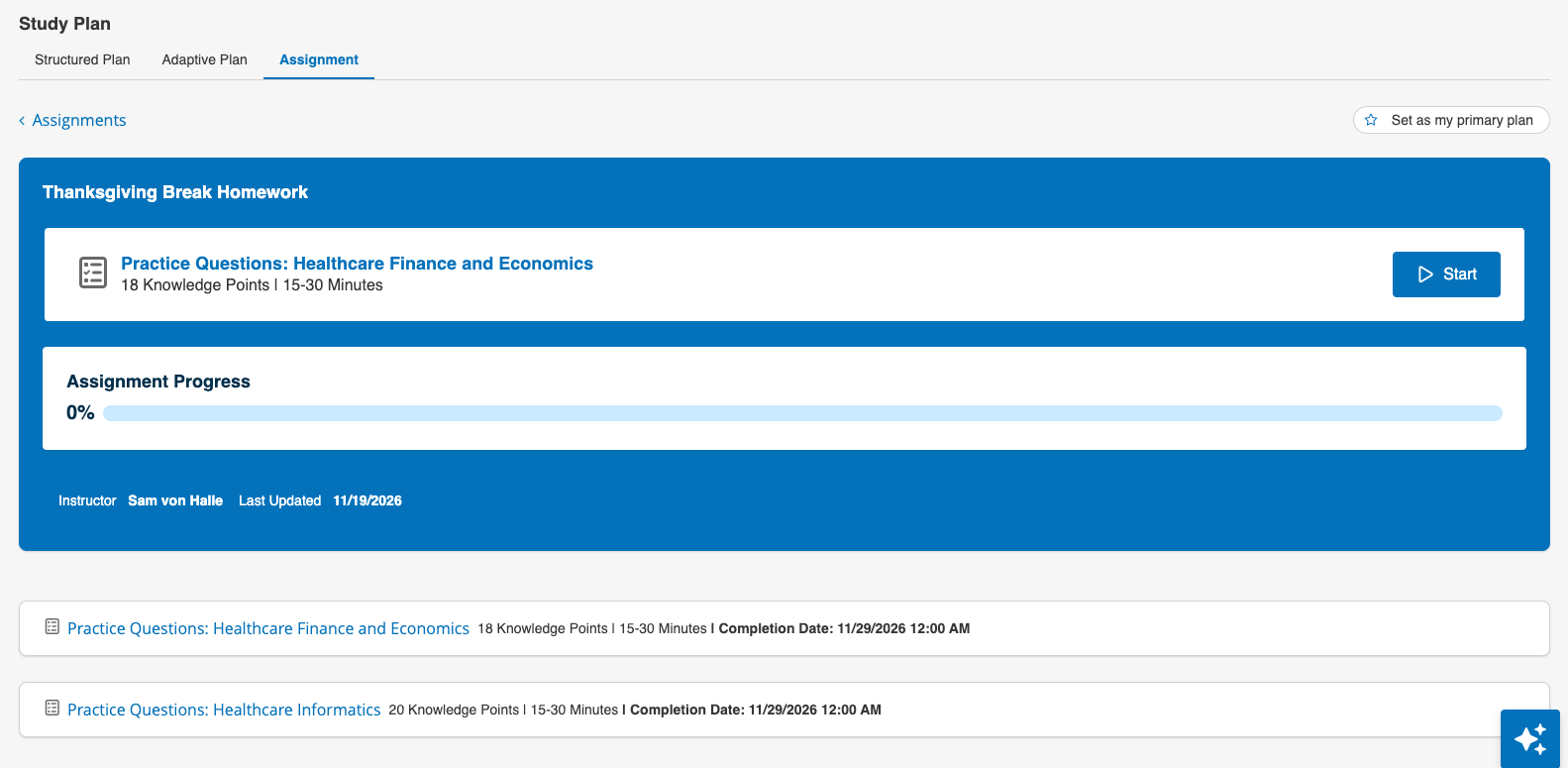
On the Assignment page, navigation has also been improved, with the back to Assignments link now at the top left for quick access back to the full list, and the “Set as my primary plan” button has moved to the right of the page. Each Assignment task shows the “Completion Date” set by the instructor, so learners can see their target due date at a glance.
This update applies when the “Assignments” feature access is enabled.
Improved Exam Reset Messaging
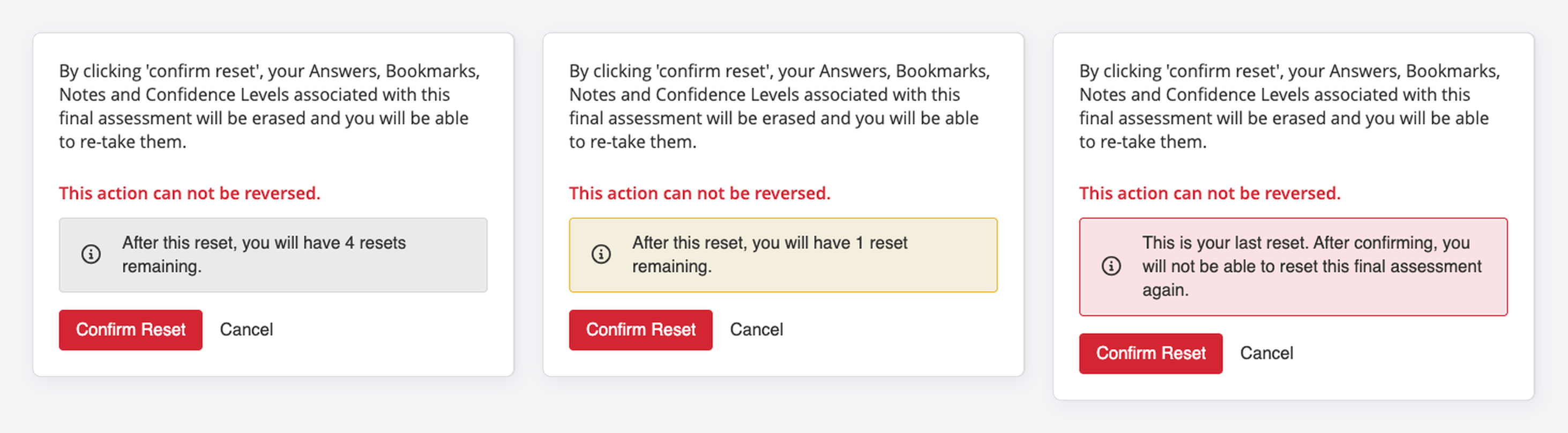
The exam reset confirmation modal now shows learners how many resets they have left more prominently and clearly before they confirm. This helps learners understand their remaining resets, especially when exams in the same course have different limits, as introduced with new Exam-Level Reset Settings noted below.
The modal’s banner now changes with the learner’s status: a neutral message when two or more resets will remain, a caution when one will remain, a final-reset warning on the last attempt, and an informational message when resets are unlimited. The count reflects the learner’s effective reset allowance, whether it comes from an exam-level setting, the branch, or the course.
This update applies when “Allow Exam Resets” feature access is enabled.
BluePrint
Exam-Level Reset Settings
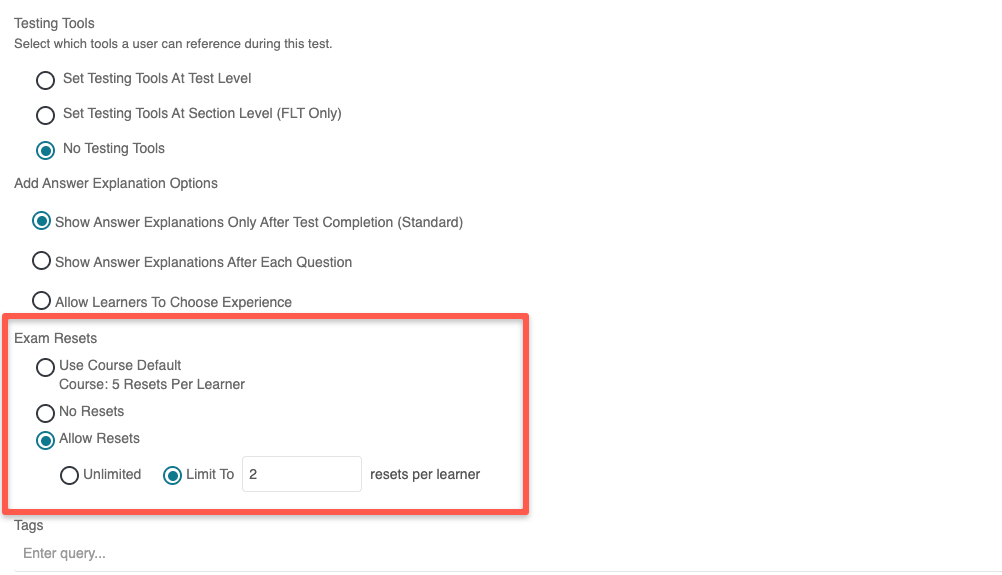
Admins can now configure reset rules for individual exams in BluePrint, allowing unlimited resets, setting a limit, or disabling resets. For example, this allows repeat practice on one exam while restricting resets on another within the same course.
To set it up, go to BluePrint > edit the exam > Exam Resets, then choose either Use course default, No resets, or Allow resets. With Allow resets, choose Unlimited or enter a per-learner limit of 1 or more.
Console
View Group and Answer Details in Assignment Reports
Selected assignment report drilldowns and exports now include group and answer information, helping administrators review learner responses and group membership alongside assignment results.
Scaled Score Details on the Course Report
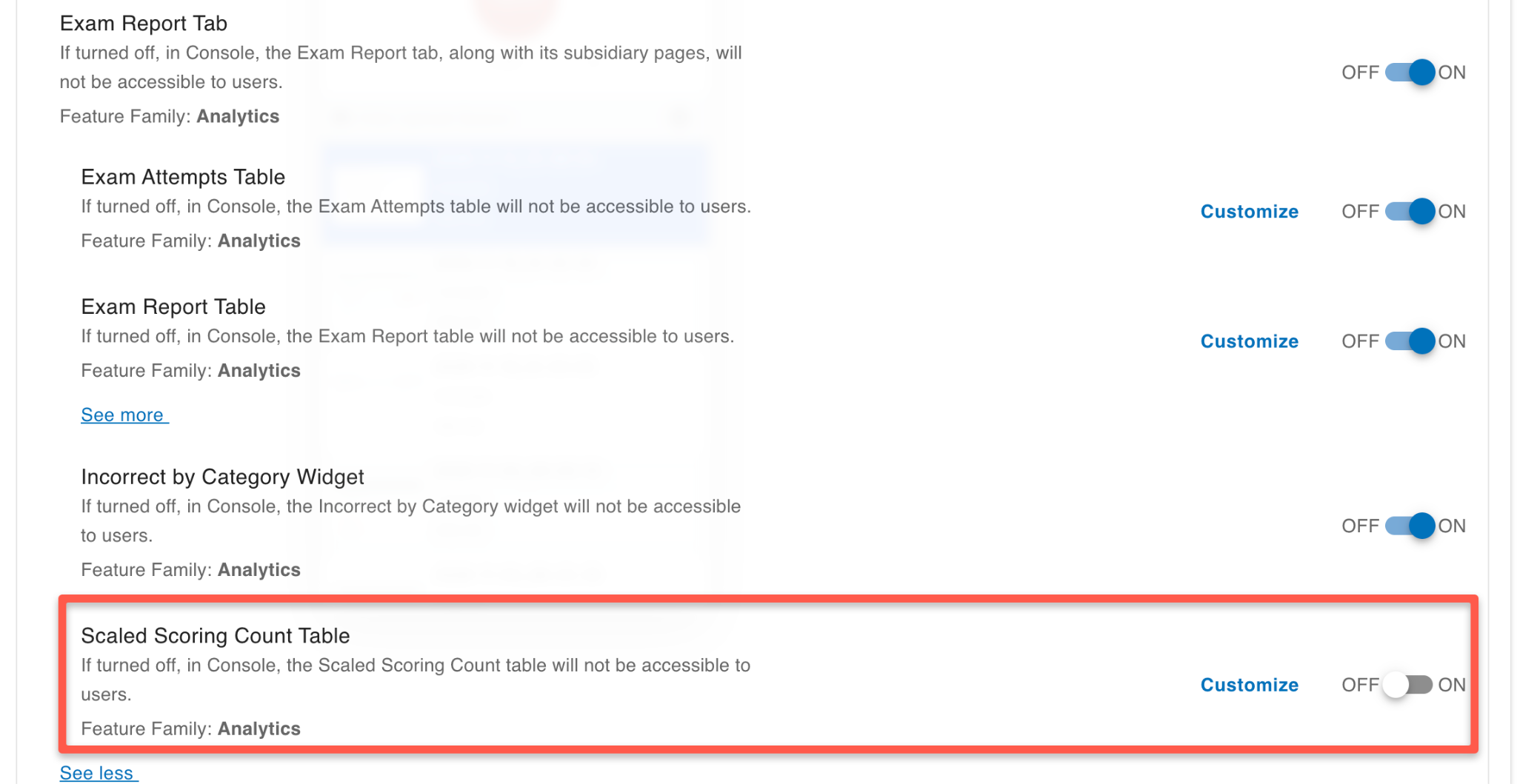
The Course report’s Exams tab now includes a Scaled Scoring Count table that gives administrators a detailed view of learner readiness. It shows the number and percentage of learners in each predicted readiness category, with a total line for the content package. For example, an admin can see at a glance how many learners fall into each readiness category. Learners without a predicted score are excluded.
To enable, Scaled Scoring must already be set up within your exams. Then enable the tenant-level feature access under Course Report > Exam Report tab > “Scaled Scoring Count Table”:
If interested in learning more about Scaled Scoring for your organization, please reach out to BenchPrep.
Filter Course Exam Reports by Exam and Learner
New Exam and Learner filters on the Course report’s Exam tab let administrators focus reports on selected exams, learners, or both. Select multiple exams or learners to update the tables and widgets, or clear the filters to return to the full course view.
Certificate Issuance Webhook Payload Updated
We’ve updated the certificate issuance webhook payload to include the certificate slug. When a learner is issued a certificate, the data sent to any connected system now includes slug in the certificate object, alongside the existing certificate details. This gives your integrations a stable identifier to match issued certificates to the right records, with no new setup.