





The following items will be deployed on July 23, 2026. Please note that this list doesn’t include other internal and regular maintenance work that BenchPrep is releasing.
New Features and Enhancements
BenchPrep Analytics
Expanded Performance Rollups in Console
Console now includes summary performance metrics across User, User - Course, and Group reporting. These rollups give admins a faster way to understand learner progress and performance without reviewing individual activity records.
To view these metrics, go to Feature Access > Analytics and turn on the User or Group “Detail Reporting Tab Data Points” under their respective categories.
Dedicated Reporting Tabs
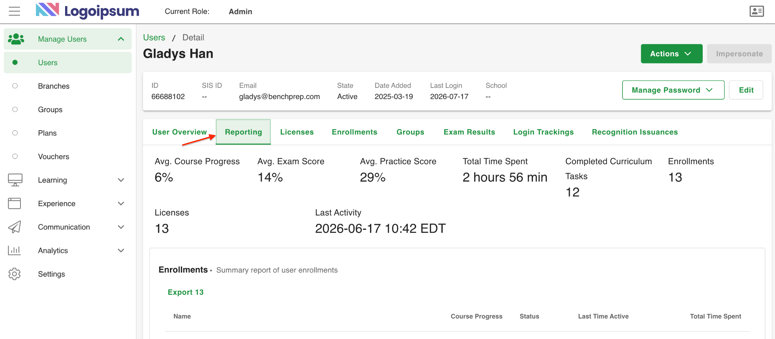
User, Branch, and Group detail pages now include dedicated Reporting tabs, making it easier to access analytics while keeping reporting separate from administrative settings. Reports and dashboards can be accessed on these tabs, and the User Detail page now includes an enhanced Course Overview table with time spent metrics.
Flashcard Engagement Reporting
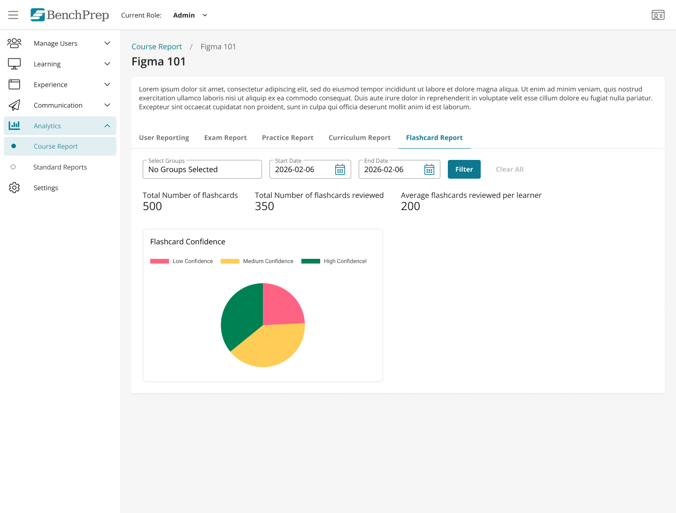
Track how learners engage with flashcards in BenchPrep Analytics. New user- and course-level reports include flashcards viewed and answered, average flashcards reviewed per learner, and confidence-level distributions across all learner interactions.
To view Flashcard reports, go to Feature Access > Analytics > and turn on “Flashcard Report Tab” in the User and Course Reports sections
Expanded Reporting Insights
We've also expanded reporting across BenchPrep Analytics with new assignment metrics, additional SIS ID support, and localized timestamps. These updates provide more complete reporting while making it easier to analyze learner activity across systems and time zones.
Then list the highlights:
- New assignment columns: Average Time Taken, Assignment Start Date, and Assignment Close Date
- SIS ID added to additional reports
- Timestamps now display the viewer's local time zone
Go to Feature Access > Analytics and navigate to their respective categories to turn on any of these new data points and columns.
BluePrint
Live Course Indicator
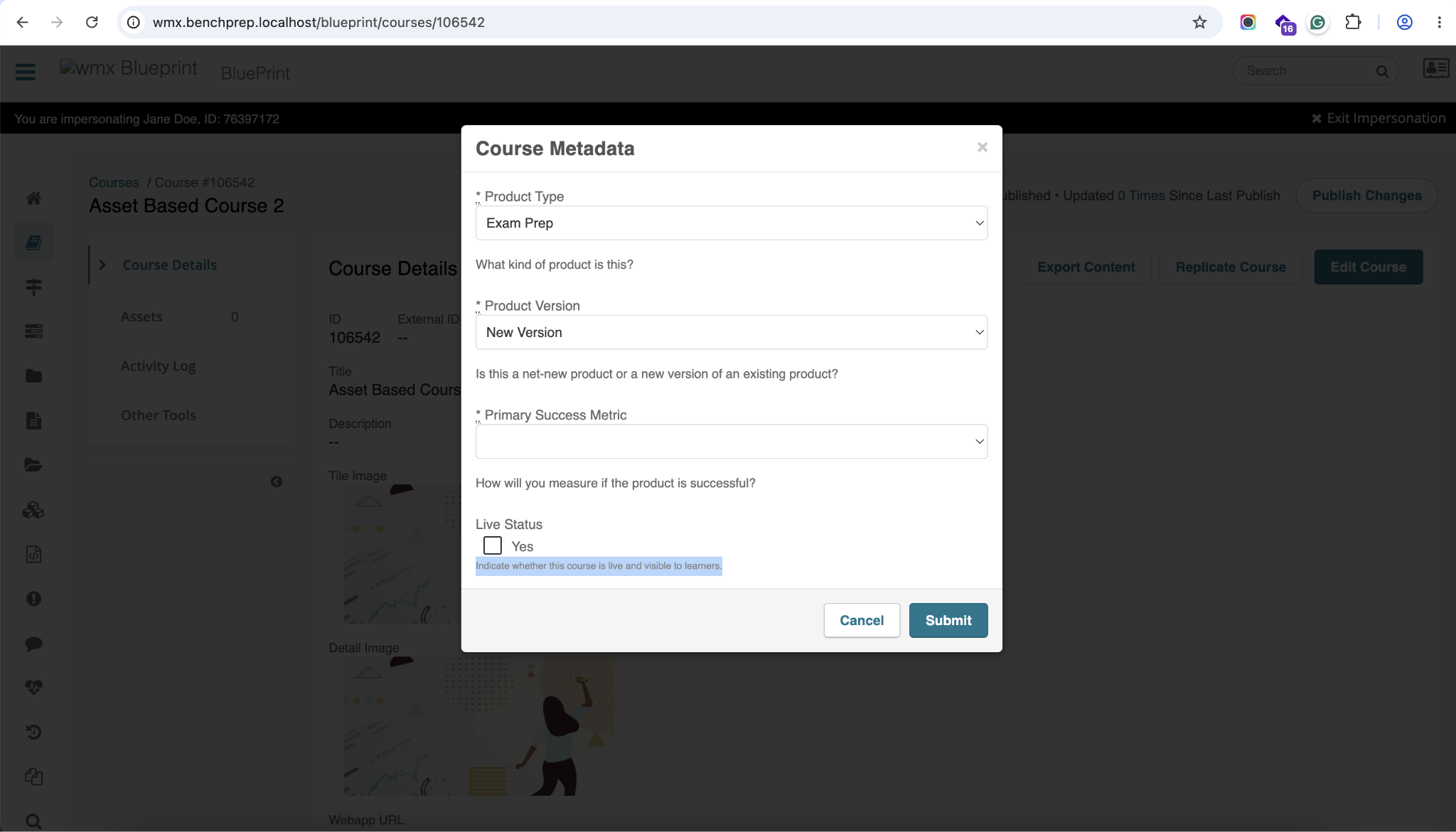
A new optional Live toggle lets teams clearly identify active courses in BluePrint. The setting is available in course metadata and publish workflows, and is surfaced in reporting for easier course management.
Archived Events for Premium Content
Archived in-course events can now be added to premium content packages directly from BluePrint. A new event status filter makes it easy to include these events when needed while keeping the default selection view focused on active content.
Learn more about Premium Content here →
Console
Display on Browse Status
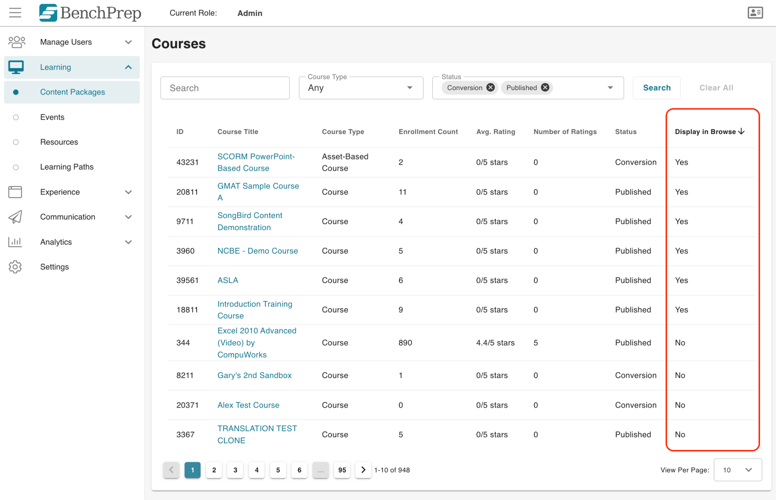
A new Display on Browse column lets admins quickly see which courses, events, and other content are visible on the Learning Hub Browse page without opening individual records.
Assign Product Categories During Event Creation
Product categories can now be assigned while creating an event, making it easier to organize events from the start without returning to the Marketing Info tab afterward.
Profile Fields Now Available in Console
Organizations can now create custom profile fields in Console to collect additional learner information, such as school, professional status, or other program-specific details.
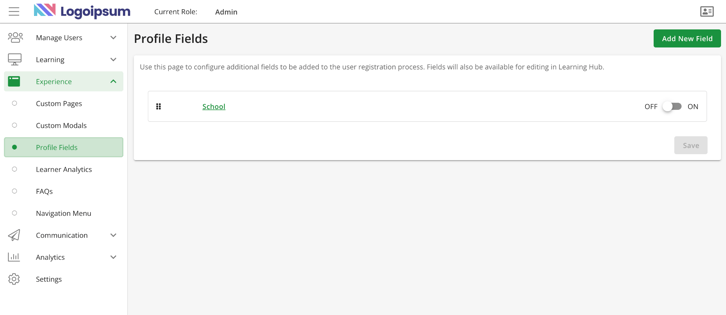
Learners can view and update these fields from the My Account page in Learning Hub, while admins can manage them directly in Console.
Admins creating custom profile fields must acknowledge a PII disclaimer before saving, reinforcing responsible collection of personally identifiable information (PII) and organizations' responsibility for PII compliance.
Learn more about Profile Fields here →
Learner Experience (WebApp)
Review Previous Questions in Custom Practice
Learners can now navigate back to previously answered questions during Custom Practice sessions in both Exam Mode and Study Mode. In Exam Mode, learners must still answer each question before moving forward but can review and update previous answers until they switch to Study Mode. Once in Study Mode, previously answered questions become read-only.
Learner Analytics: Credits & Recognitions
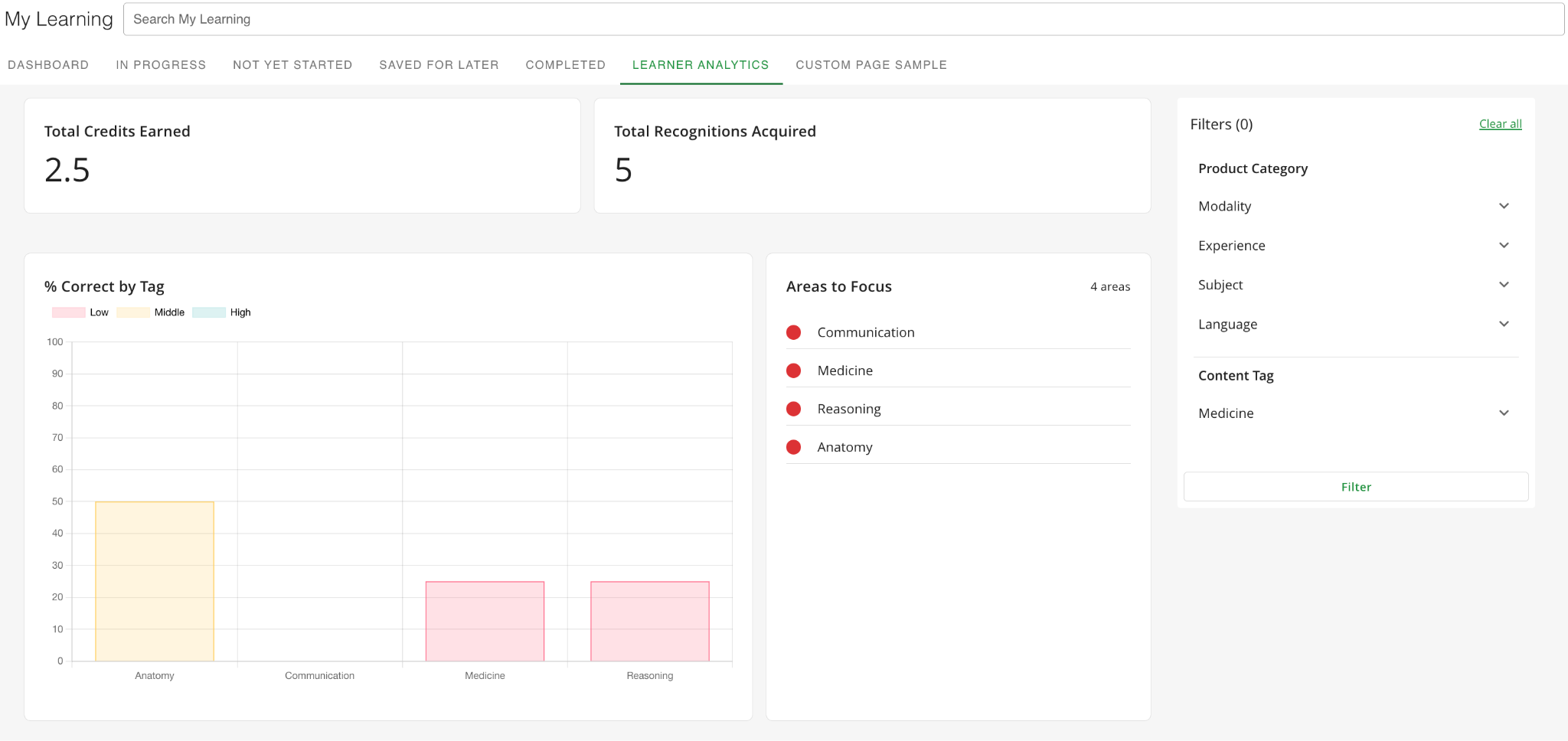
Learner Analytics now includes widgets for Total Credits Earned and Total Recognitions Acquired, along with Recognitions Earned and Certificates Earned columns in the Course Detail Breakdown.
Learn more about Learner Analytics here →
Learner Analytics: Shows Relevant Categories & Tags
The Learner Analytics Dashboard now displays only the product categories and tags associated with a learner's enrolled courses. This provides a more relevant view of performance and eliminates categories or tags from courses the learner isn't enrolled in.


