





The following items will be deployed on January 15, 2026. Please note that this list doesn’t include other internal and regular maintenance work that BenchPrep is releasing.
New Features and Enhancements
BenchPrep Analytics: Now Available in Production
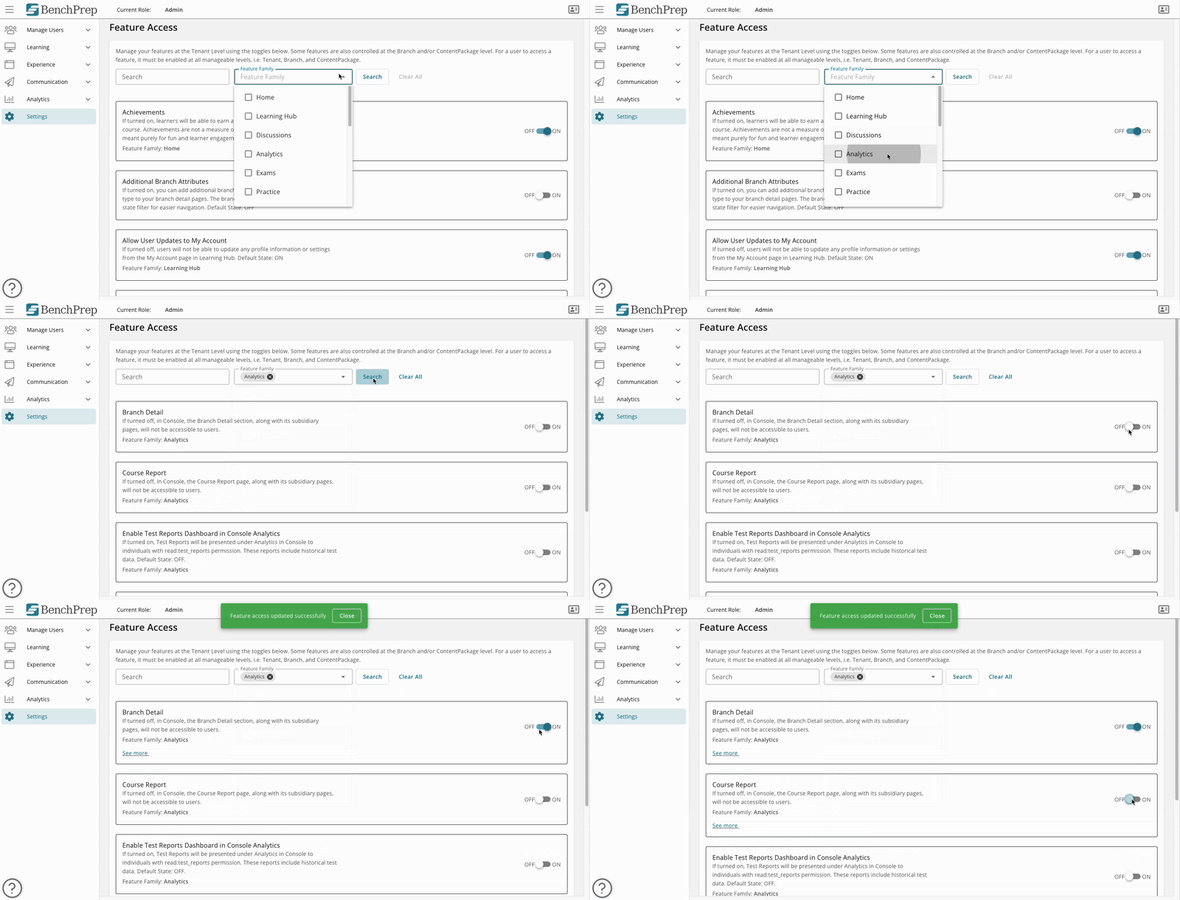
BenchPrep Analytics is now available in your Production environment. Feature Access must be manually enabled to view the new Analytics dashboards in Console:
- Go to Feature Access
- Filter Feature Family to Analytics
- Turn on the dashboards you’d like to see
Additionally, we’ve added a new Low Score Indicator for Practice Questions in Course Reports. Practice question reports now include a low score indicator to help instructors quickly spot problem areas. When a practice question’s average score falls below 50%, a red danger indicator appears next to the score on the course report, making it easy to identify which questions learners are struggling with most.
Learn more about BenchPrep Analytics here.
Reorder Content Tags in Learning Hub
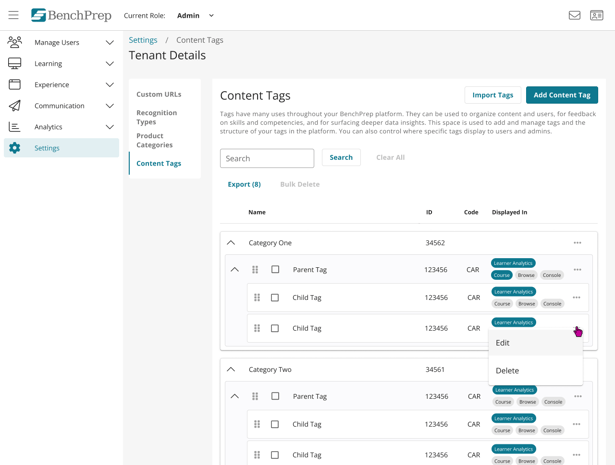
Admins can now reorder Content Tags using drag-and-drop in Console (Settings → Tenant Details → Content Tags), and the order set there will determine how they appear in the Learning Hub filter. This applies to both parent and child items within the taxonomy hierarchy, giving admins direct control over how tags are displayed to learners.
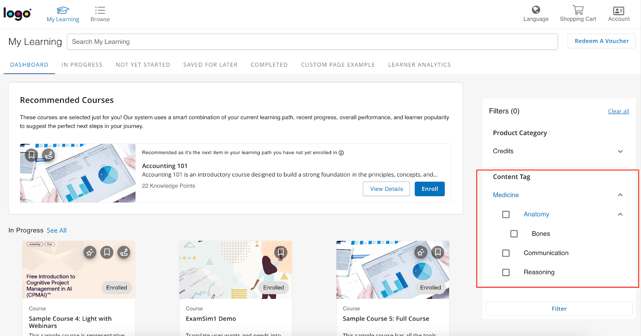
The order set in Console will be reflected in the Learning Hub filter, making it easier for learners to find and prioritize relevant content.


