




The promise of AI in learning has always been clear: faster content creation, smarter personalization, better data. What's been harder to pin down is the how. Which specific workflows actually improve, by how much, and is the technology ready?
In 2025, we launched Innovation Labs. It is our way of probing, exploring, and challenging everything before committing to a full product build. What we didn't expect was how naturally the four projects we explored started to connect.
Upload your content → get it tagged → run it through a review pipeline → measure how learners are doing easily with natural-language reporting.
Each piece is useful on its own. Together, they start to look like something bigger.
Here's what we found.
Auto-Tagging Content with AI
Every organization we work with has the same challenge: someone has to go through every question, lesson, and flashcard and tag it. By topic. By difficulty. By cognitive level. It's slow, it's inconsistent, and it's nobody's favorite job.
We built an AI tagging engine that does this automatically and is aligned with Bloom's Taxonomy, the industry-standard framework for classifying cognitive complexity.
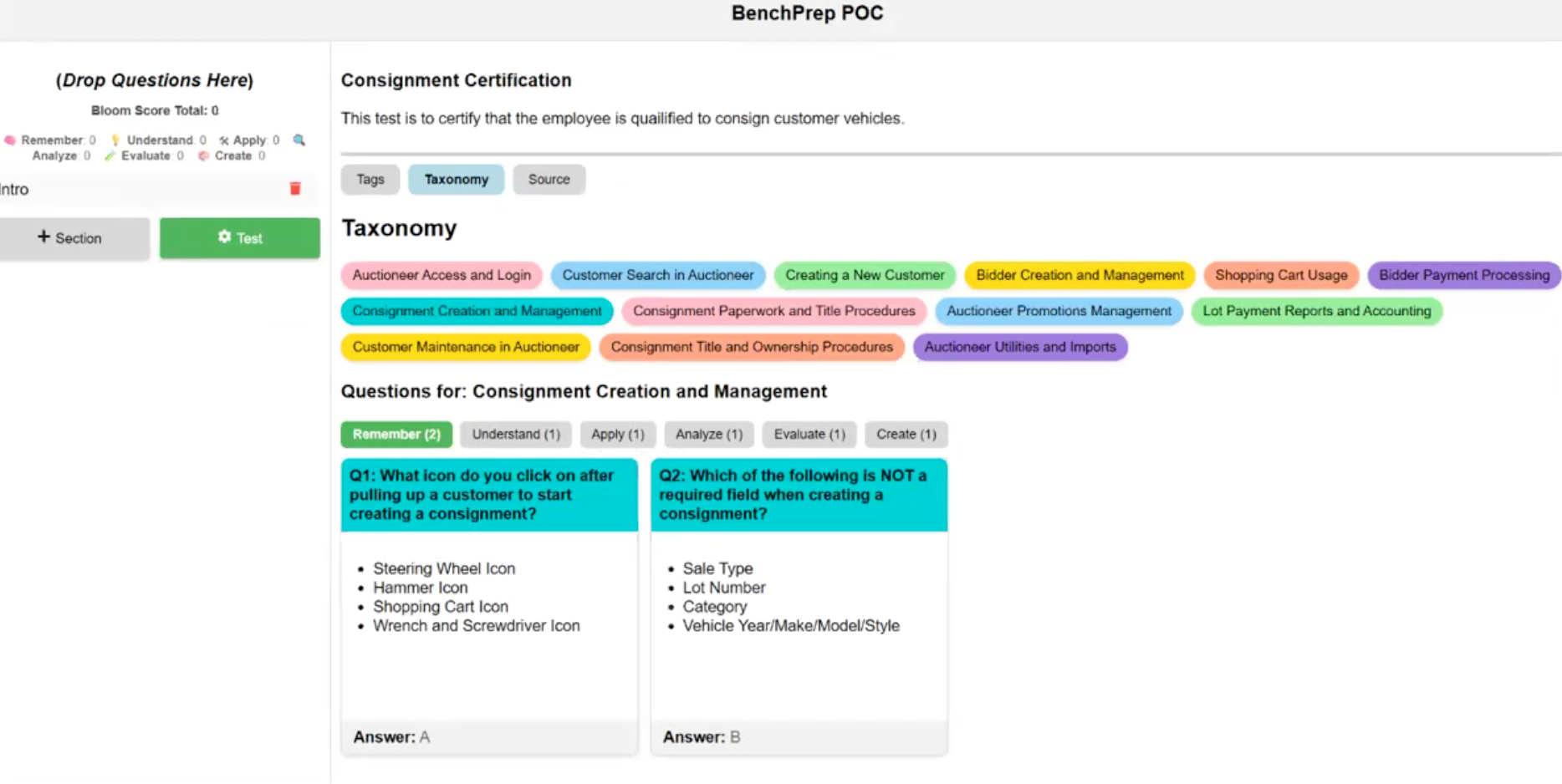
Virgil Prewitt, founder of Bluegrass Codeworks and the enterprise architect we brought in to lead the prototyping, ran it against a real financial certification study guide, and the results held up. Content landed in the right categories, difficulty levels made sense, and what came out was clean enough to plug straight into the platform.
It's not locked to Bloom's, so any taxonomy framework can be swapped in. And once content is tagged, you get something even more valuable downstream: the ability to build adaptive learning plans and dive deeper into your learners’ strengths and weaknesses.
Building Content Workflows, From Creation to Publication
Getting content from a customer's hands into a publishable format today involves many moving parts and a lot of back-and-forth with engineering. Different file formats. Translation requirements. AI enrichment steps. Review cycles. Each one is a potential delay.
We prototyped a visual, drag-and-drop workflow builder where teams can chain together processing steps—ingest, translate, tag, generate questions, flag for human review, publish—without writing a line of code. We threw a mix of PDFs, videos, and existing question banks at it, the kind of messy, real-world content mix most L&D teams are actually sitting on. Each file type triggered the appropriate workflow automatically; each step ran as a cloud function, and Slack notifications fired when steps completed or required a human eye.
Each step runs as a cloud function, meaning it's scalable, auditable, and only costs money when it's actually running.
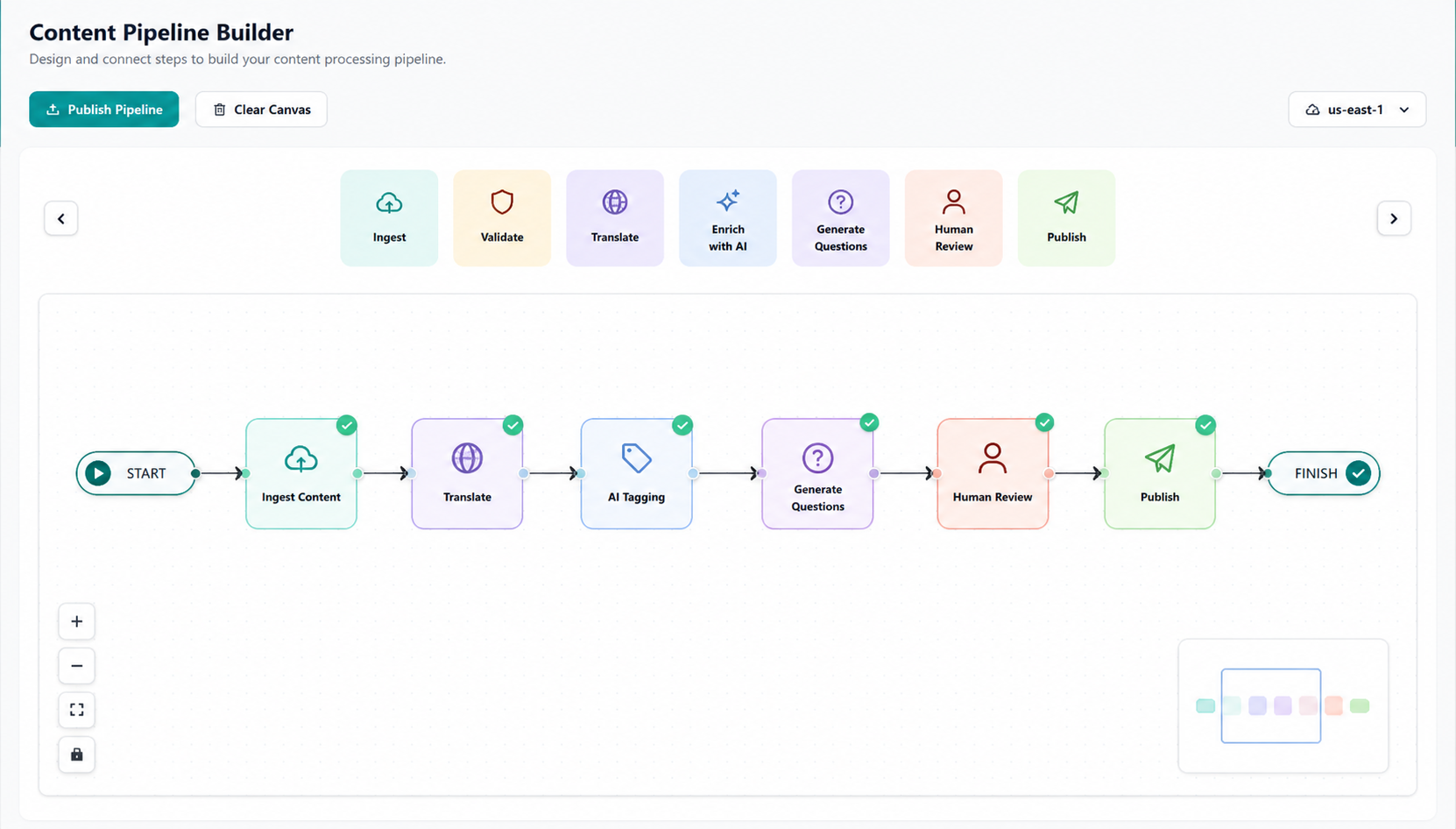
We also confirmed that human-in-the-loop approval steps work natively within the architecture, so nothing goes live without a review checkpoint if you want one. This isn't theoretical. The pipeline ran. Files went in, processed content came out, and Slack notifications fired when steps were completed.
From PDF to Published Course In a Fraction of the Time
This one came in as a special request from Emily Leary, our VP of Customer Success. She'd noticed a pattern: customers were sitting on a goldmine of existing content—certification study guides, training manuals, practice exams—but getting it into the platform was so time-consuming that much of it never made it at all. Real learning material, just left on the table.
So we asked: what if AI could just do that heavy lifting?
We tested it on a real financial certification study guide. This single PDF produced 181 lessons, 698 questions, and 922 flashcards, with every section of the source material accounted for. Every question is traceable too: verbatim questions link back to their exact source passage so reviewers can verify accuracy at a glance. AI-synthesized questions, ones the model inferred from content relationships rather than direct extractions, are clearly labeled and distinguishable.
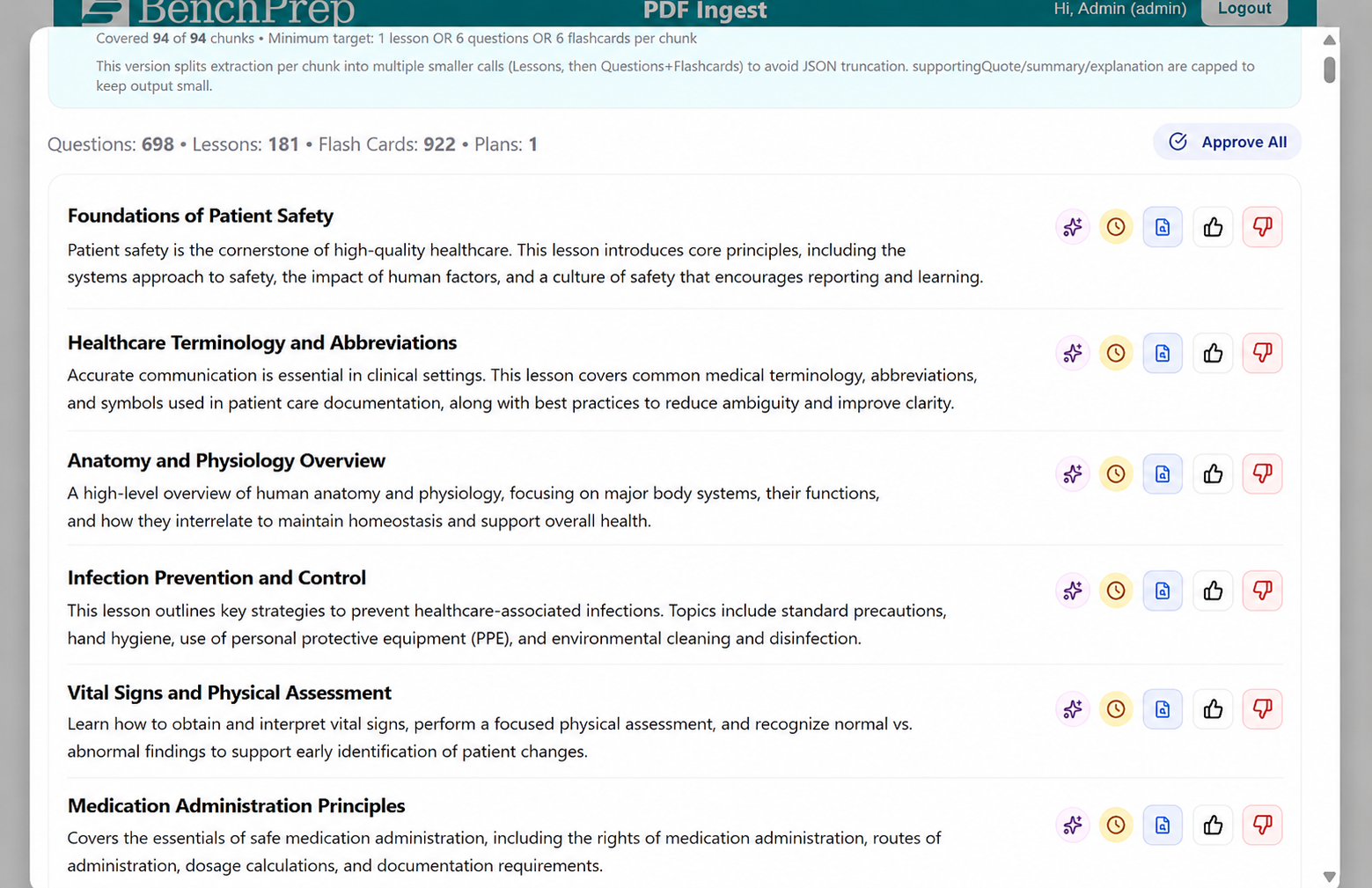
The whole thing flows through a review-and-approval interface before anything touches the platform. The vision: customers upload their materials, review the output, approve, and publish without a multi-week service engagement to get there.
Ask Your Data a Question. Get a Chart Back.
Reporting has always required a middleman; someone who can write SQL, configure a dashboard, or build a custom report. Chris Jackson, our Enterprise Architect, thought that was an unnecessary barrier. So he built a natural-language reporting interface directly in the admin console.
The idea is simple: type a question in plain English, and have the system convert it to a database query, run it, and return a chart, a data table, and a plain-language summary of what the data is telling you. We tested prompts like 'Which flashcards are students struggling with most?' and 'Show me the top 10 groups by active users,' and it worked.
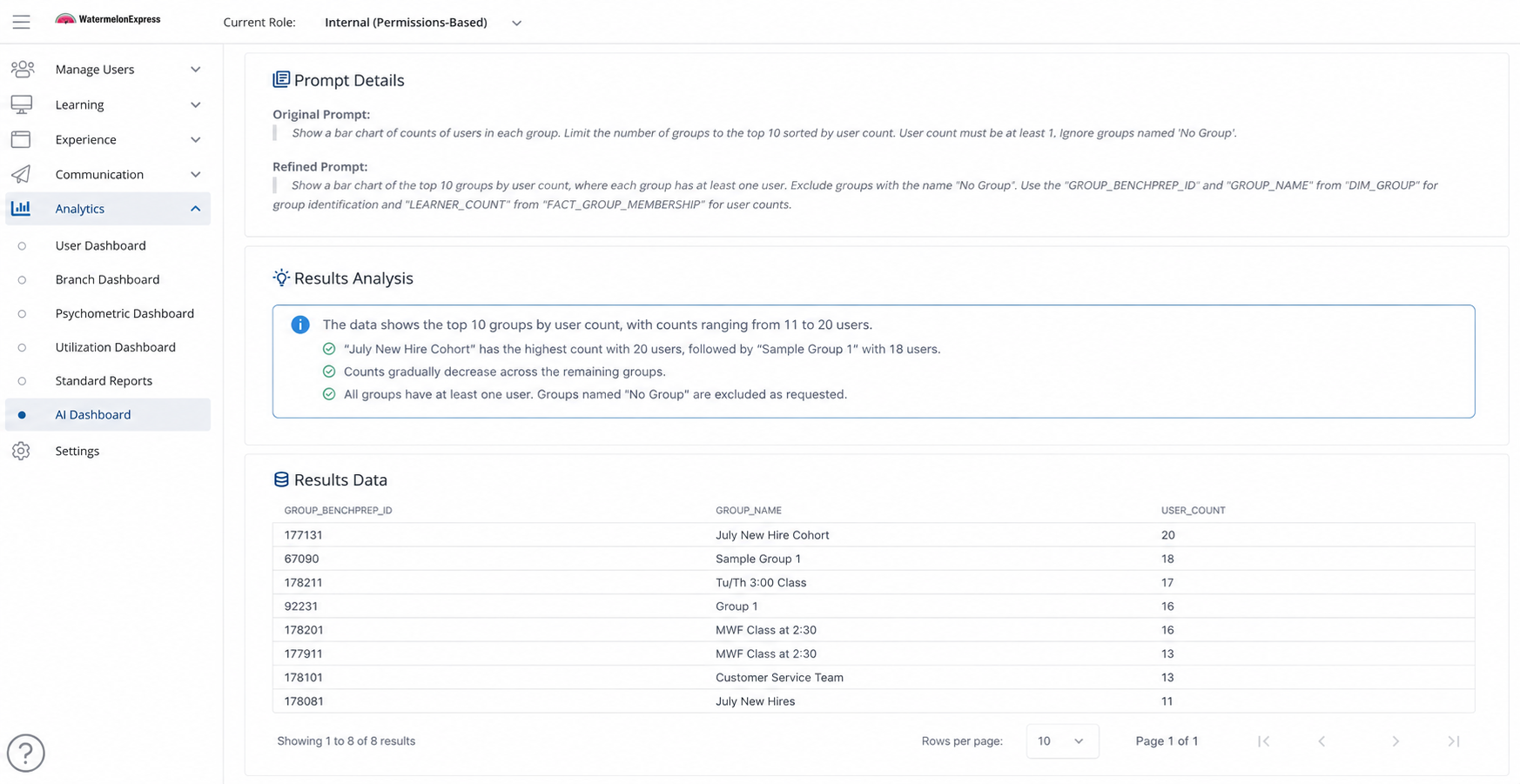
One thing Chris was particularly deliberate about: data permissions are enforced by the system, not left to the AI. That means there's no risk of a query accidentally surfacing another tenant's data, a critical safeguard when you're managing multiple clients in one platform. The system also supports conversational follow-ups, so you can dig deeper without having to start from scratch each time.
The core pipeline is proven. The main unlock from here is expanding the data available to query, which is a data design investment, not an AI question.
What's Next
What started as four separate experiments ended up telling a single story. Upload your content, have it automatically tagged and categorized, run it through a review pipeline at whatever pace your team needs, then ask plain-English questions about how learners are actually doing. Each piece works on its own, but together they sketch out what a truly modern learning content lifecycle could look like.
All four capabilities have cleared the 'can we do it?' hurdle. The next phase is about evaluating customer value, understanding ROI & trade-offs, and selecting 1-2 to turn into production features.
If you'd like to see any of these in action, reach out to us for a demo.


